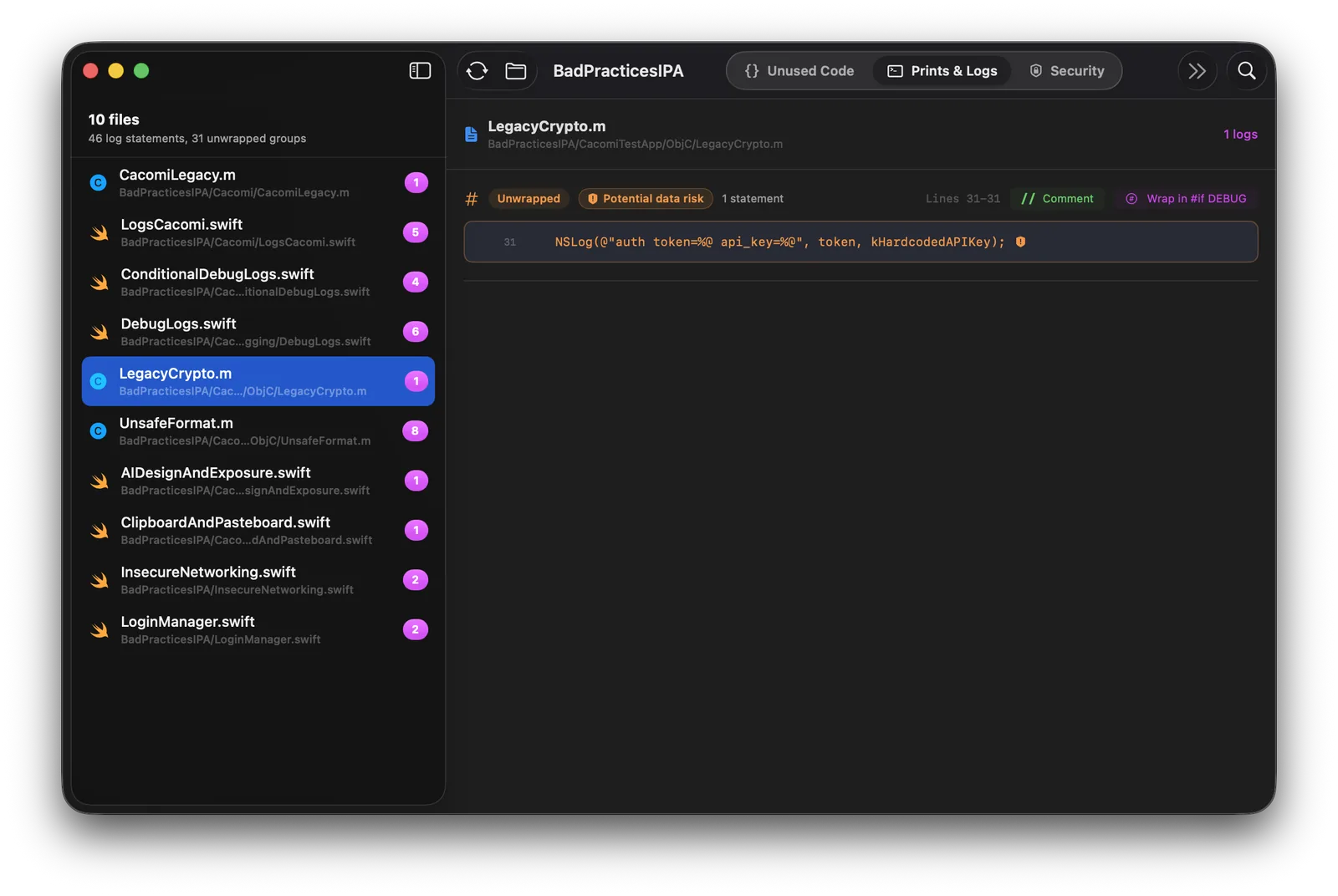
Prints & Logs
Remove risky debug logs with confidence.
Find print statements, sensitive logs and debug traces that should not be included in production builds.
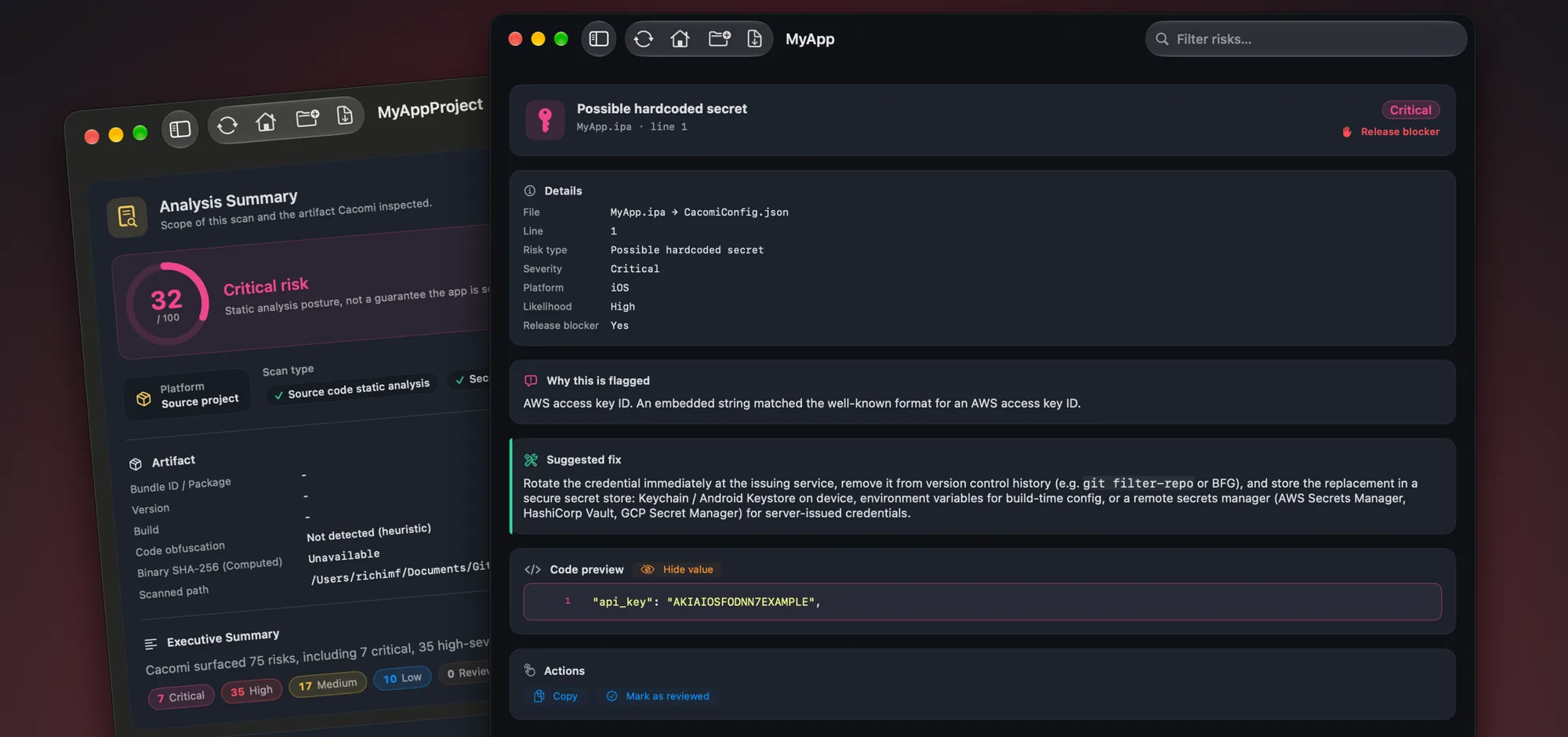
Cacomi scans your source code and your .ipa, .apk and .app builds right on your Mac. It flags hardcoded secrets, risky network and storage settings, debug logs, dead code and files that look AI-written, with findings mapped to OWASP MASVS.
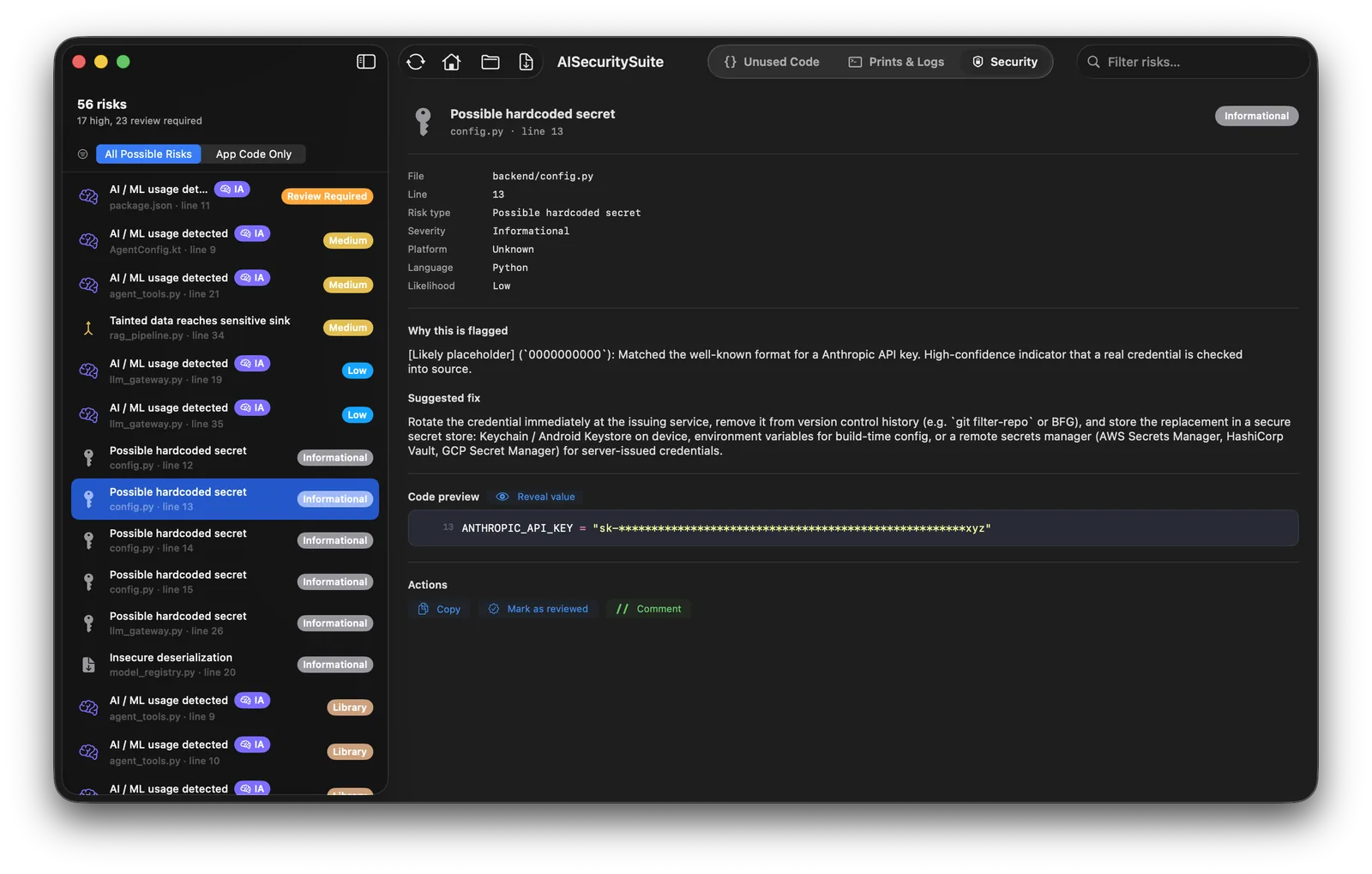
Hardcoded keys and tokens, weak crypto, cleartext traffic, risky storage and vulnerable dependencies. Every finding comes with a severity, a confidence level, masked evidence and a fix.
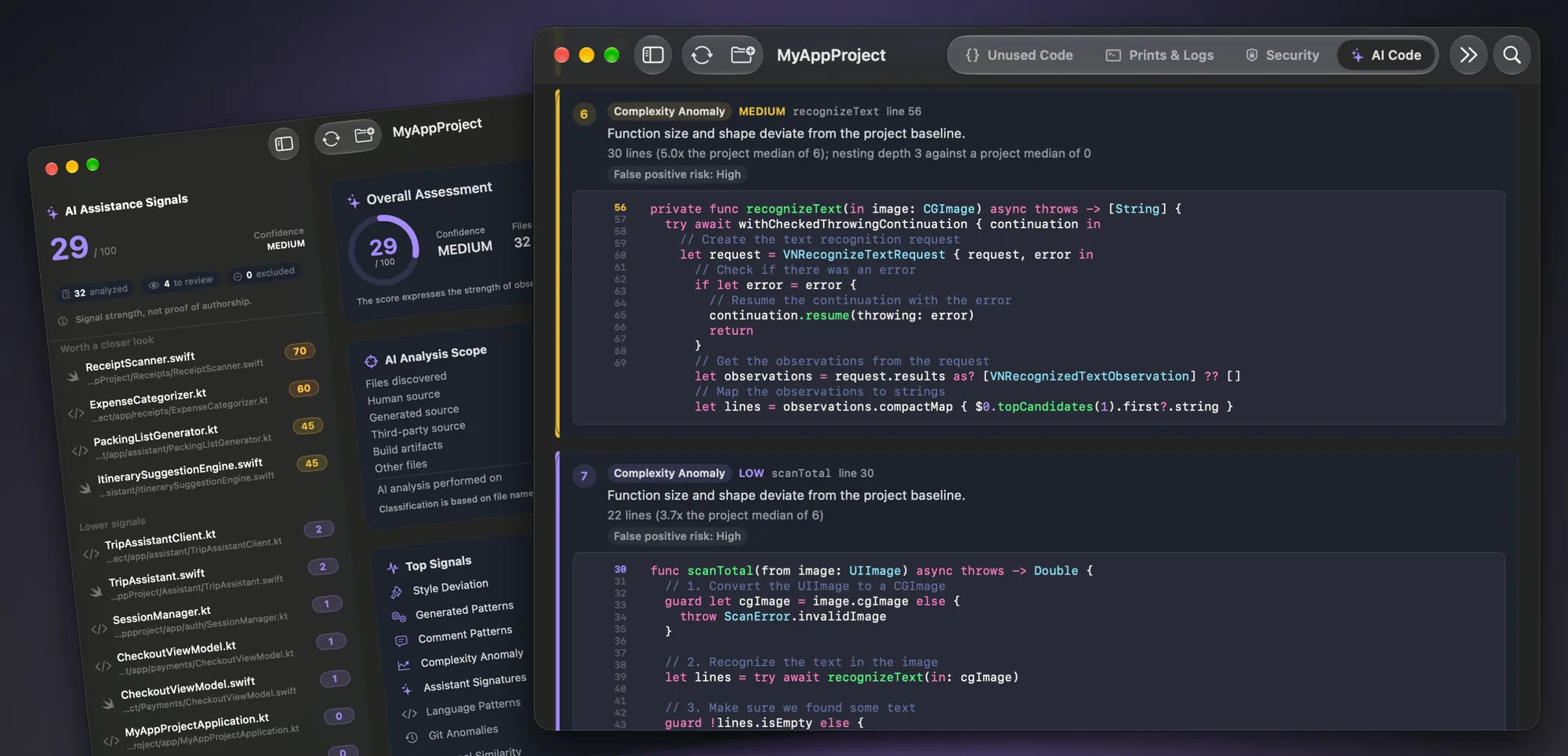
Cacomi estimates, file by file, which Swift, Kotlin and Python code shows signs of being AI-generated or AI-assisted, using style, structure and repository history. Use it to decide where to review first. It is a signal, not proof of authorship.
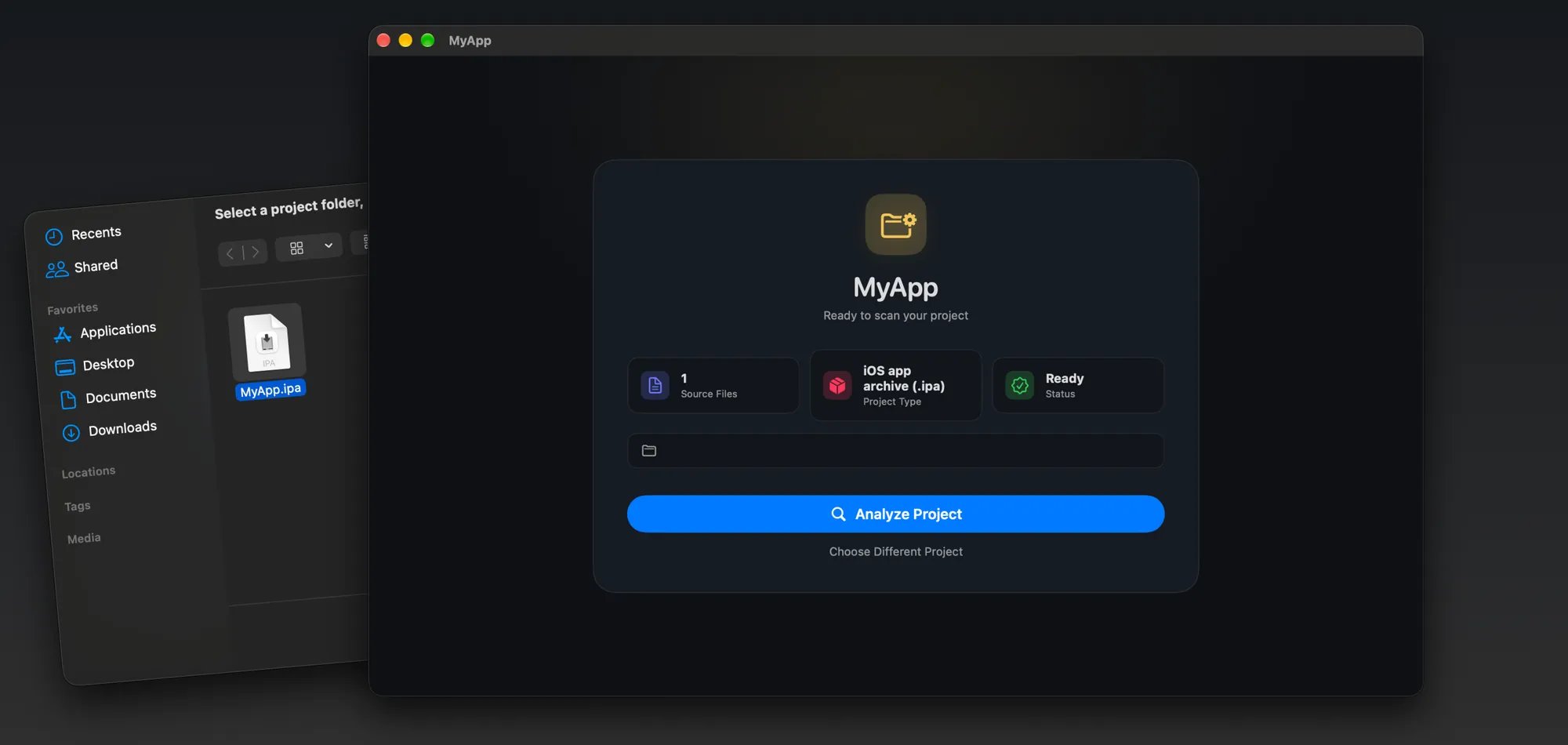
Drop an Android APK, an iOS IPA or a macOS app bundle and Cacomi checks it for hardcoded secrets, insecure URLs, risky permissions, signing and hardening issues, privacy metadata gaps and suspicious binary patterns. No source code needed.
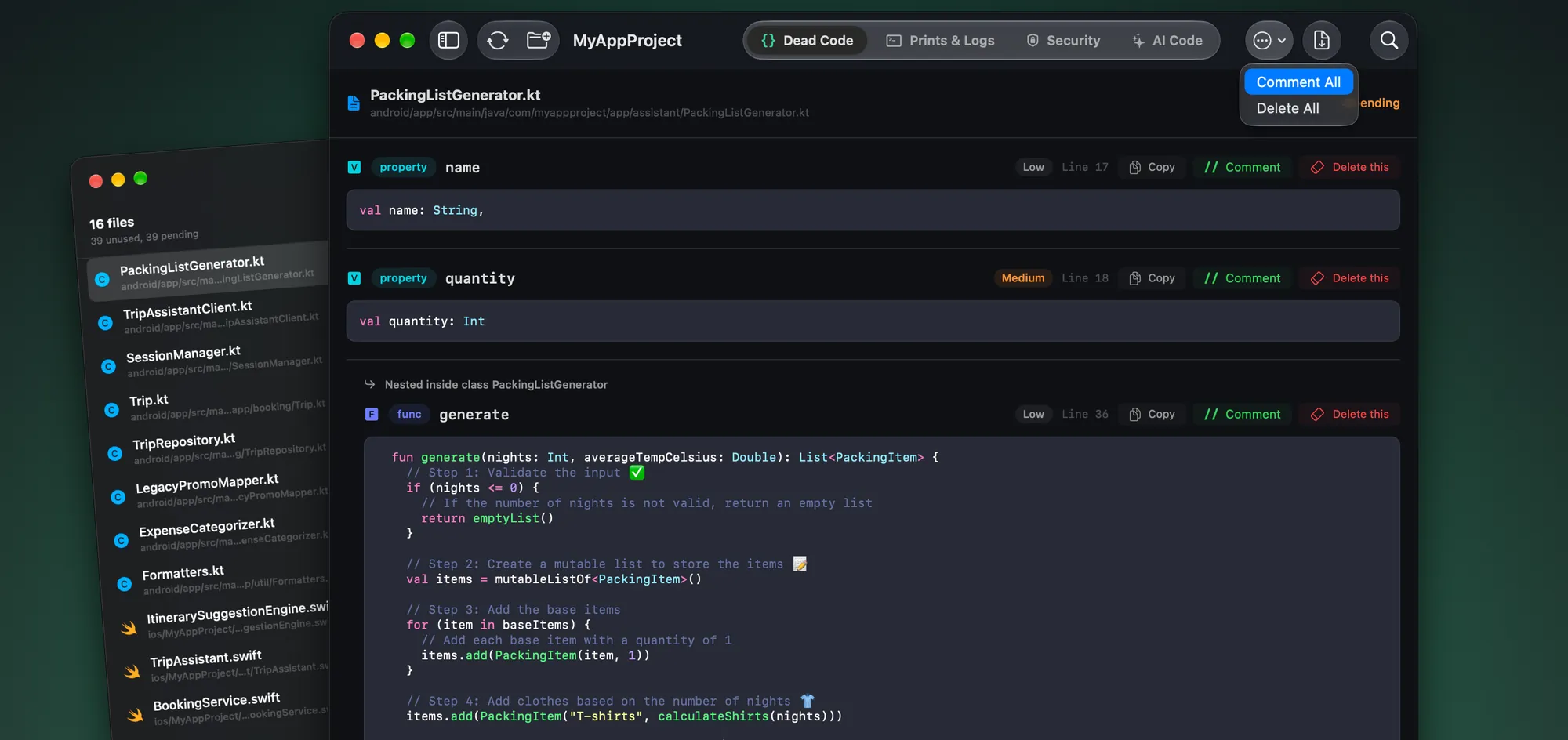
Find unused functions, properties and classes in Swift, Kotlin, Objective-C and Python, then comment them out or delete them in one click. Every change can be undone.
How it works
A source folder, or an .ipa, .apk or .app file. Native iOS and Android, Flutter, React Native and Python.
No upload and no account. Secrets, configuration, logs, dead code and AI signals in a single pass.
Comment, delete or wrap code with undo, then export a PDF report mapped to OWASP MASVS.
In every scan
Prints & Logs
Find print statements, sensitive logs and debug traces that should not be included in production builds.
AI / ML Usage
Cacomi flags the places where your code calls AI or ML services, models and SDKs. Review how they are used, what data they receive and whether anything sensitive could be sent to a third party.
PDF Reports
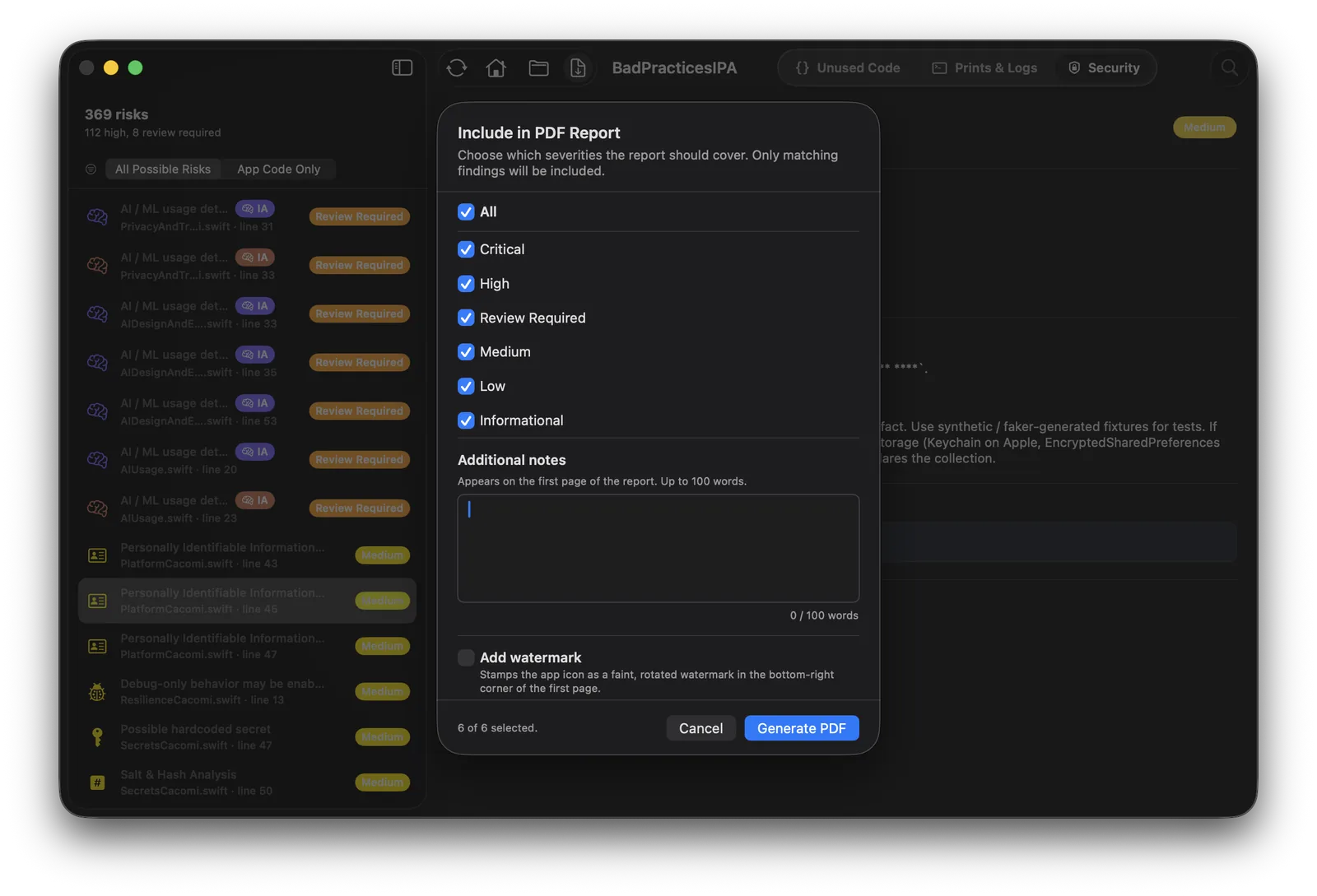
Generate a clear report aligned with OWASP MASVS/MASTG where applicable, with severity, evidence and remediation steps. Useful for internal reviews, QA teams and release validation.
Also included
On top of the checks above, Cacomi also analyzes native iOS and Android, Flutter and Python backends, and shows you where your app relies on AI.
AI detection
Cacomi flags calls to AI services, hidden or undisclosed AI usage, user data sent to AI providers and embedded AI and ML models, and lists them in an AI inventory (AI BOM).
OWASP coverage
Mobile findings map to OWASP MASVS, MASTG and MASWE, with a MAS Checklist view and MASA readiness. Python findings map to OWASP ASVS. CWE references are included throughout.
Cacomi is a pre-release static analysis tool. It runs before you ship as a complement to penetration testing and manual security review. It does not replace a penetration test, runtime testing or official certification.

Get Cacomi
Cacomi helps developers catch code quality and security issues before release.

All analysis runs locally and never leaves your Mac.
FAQ
Mobile app security testing combines static analysis (reading code and binaries), dynamic analysis (running the app) and manual penetration testing. Cacomi covers the static part: it reads your source code and your app binaries on your Mac and reports issues before you ship. It does not run your app, so it does not replace dynamic testing or a pen test.
Yes. Cacomi works as an APK security analyzer and an IPA scanner. It inspects the package for hardcoded secrets, insecure URLs, risky permissions, manifest and entitlement settings, signing and hardening issues and embedded libraries. When code is obfuscated or symbols are stripped, it still reports what it can observe and says so.
Yes, for vulnerabilities you can find statically: hardcoded keys and tokens, weak cryptography, disabled TLS validation, cleartext traffic, insecure storage, risky WebView settings, exported Android components and known vulnerable dependencies. Each finding has a severity, a confidence level, evidence with secrets masked, and a fix.
It looks at signals such as coding style, structure, comment patterns and repository history in Swift, Kotlin and Python files, and gives each file a score. Treat the score as a hint about where to look first. False positives are expected, and a score is never proof of who or what wrote the code.
Mobile findings are mapped to OWASP MASVS v2 categories and controls, with MASTG and MASWE references and a MAS Checklist view. Python findings map to OWASP ASVS. This is an OWASP-aligned static analysis baseline, not an official OWASP certification.
Only for part of the job. NowSecure is an enterprise platform with dynamic testing on real devices and expert pen testing. Cacomi is a local static scanner for developers. Many teams can use both. See the Cacomi vs NowSecure comparison for details.
No. Every scan runs locally. Cacomi does not upload your source code, binaries or reports, and the App Store privacy label states that the app collects no data.
Cacomi is a free download on the Mac App Store, with optional paid plans through in-app purchase. Prices vary by country and are shown in the App Store. You need a Mac with macOS 15.6 or later.
Student offer
Get Cacomi Pro free for one year. Register with your student email and we'll send you access.
We only use your email to verify your student status and send your access. No spam.